New from Wavloft
Wavloft Chop
Half-time, stutter, reverse and freeze patterns painted on a 16-step grid.
What it does
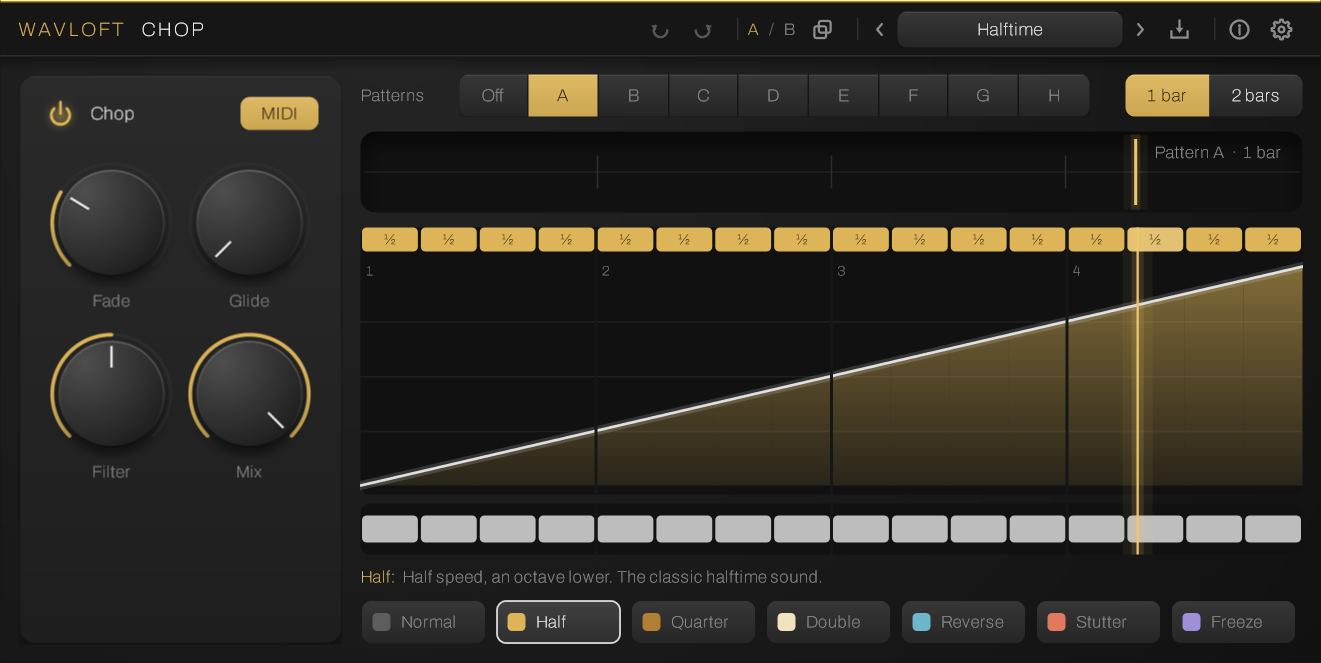
Chop replays the last two bars of incoming audio in patterns. Each 16th-note step is assigned a mode, and a second lane mutes steps.
- Six modes per step: half speed, quarter speed, double speed, reverse, stutter, freeze.
- 16 or 32 steps, plus a second lane that mutes steps.
- Eight patterns, A to H. Switch them with MIDI notes C3 to G3 or with automation.
- Curve editor to bend the time and ease into a mode.
- Fade, glide, filter and mix controls.
- Presets, undo and A/B compare.
- VST3, 64-bit, Windows 10 or later.
How it works
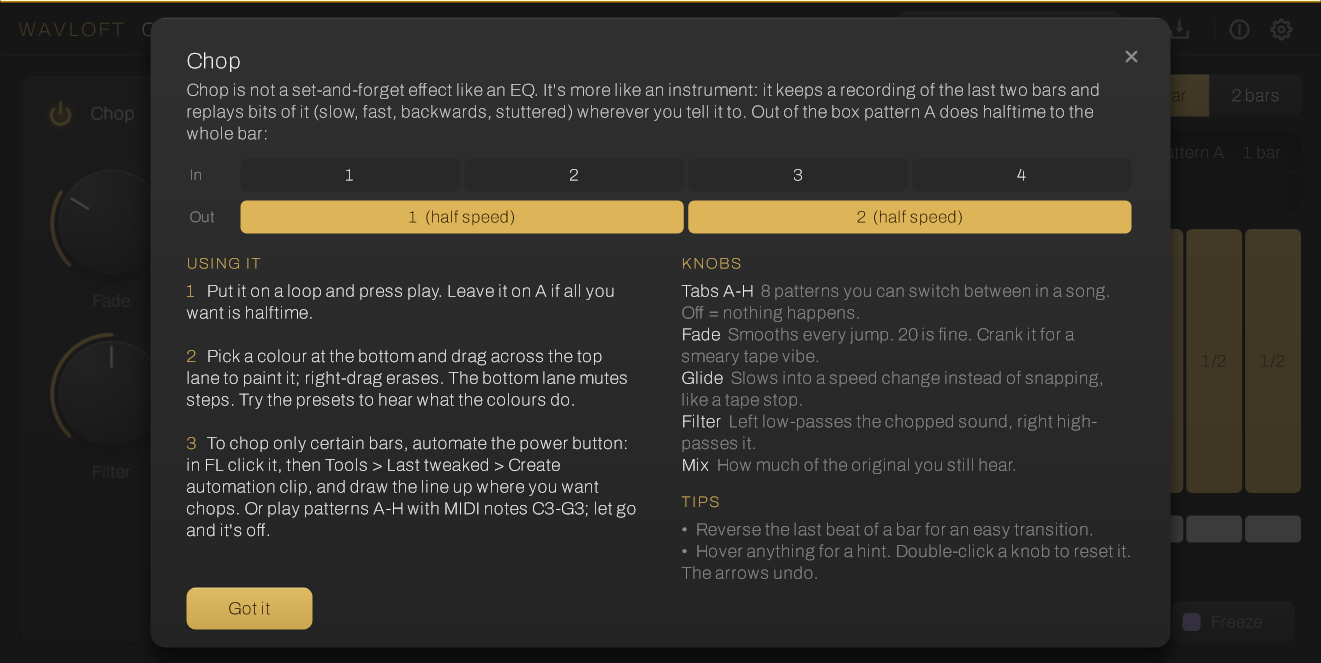
Chop is played from the playlist. It is not a set-and-forget effect: you decide where it acts in the arrangement, and it works on the last two bars of audio that came in.
- Put Chop on a mixer track or channel that carries the audio you want to rearrange.
- Paint a pattern: pick a mode for each step and mute the steps you want silent.
- Turn it on where you want it in the arrangement, either by automating the power button or by holding a MIDI note. Notes C3 to G3 pick patterns A to H.
Install
Windows 10 or later. Run the installer, then rescan plugins in your DAW. Windows may show a SmartScreen warning the first time: choose More info, then Run anyway.
Pay what you want
Chop is free. If you want to support it, name a price at checkout. There is no account and no licence key.
Get Chop